AI-assisted referral triage that runs entirely inside your practice

Lumen reads every incoming referral letter, extracts the patient details, and recommends a triage category and pre-consult tests — using AI models running on your own hardware, on your own network. Your doctors review and decide. Patient data never leaves the building.

A walk-through takes about 20 minutes, on your own referrals if you like.
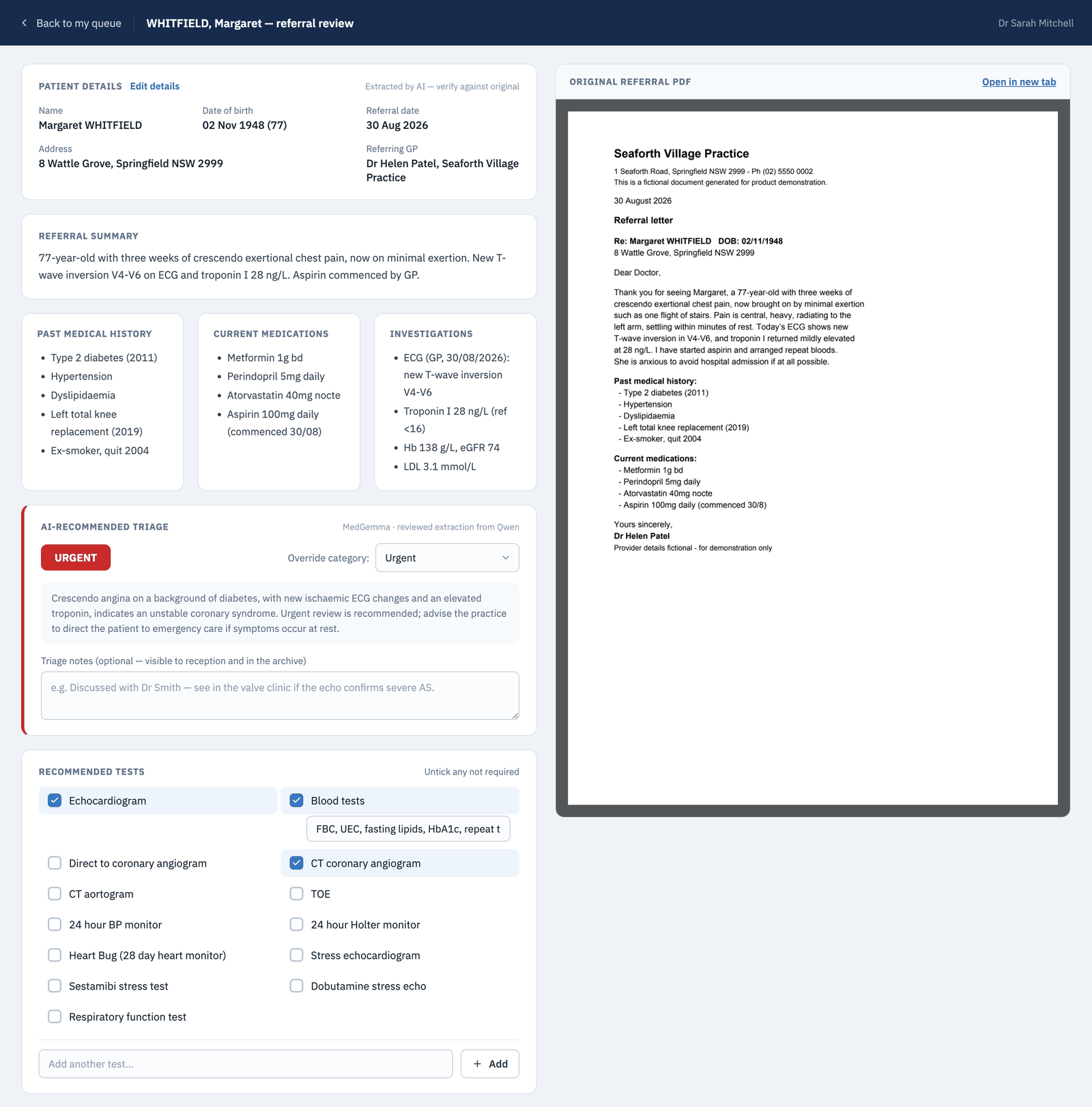
Lumen doctor review screen: extracted patient details, referral summary, past medical history, medications, investigations, an AI-recommended urgent triage with rationale, a pre-consult test checklist, and the original referral PDF alongside
The doctor's review screen — extracted details and the AI recommendation beside the original letter. Shown with fictional demo data.
On-premise by design

Your data never leaves the building

Lumen is not a cloud service. It is a small web application that runs on a machine in your practice and is reachable only on your local network. The AI models it uses are ones you run yourself — any OpenAI-compatible endpoint on your own hardware.

LAN-only, no cloud

Referral PDFs, patient details, and AI processing all stay on your network. There is no vendor server, no external account, and nothing to send offsite.

Your own AI models

Point Lumen at any OpenAI-compatible endpoints — for example a Qwen model for extraction and MedGemma for triage — served from a machine you own. No per-referral fees, no API meter running.

Every action audited

Sign-ins, uploads, edits, reviews, messages, bookings, and archive actions are written to an audit log. Each referral shows its own complete activity trail.

Role-based accounts

Reception, doctor, and admin roles see only what they should — doctors see their own queue, and only administrators manage accounts and settings.

Nothing quietly deleted

Referrals are archived, not erased. Only an administrator can delete a record, and deleting a user account never removes their name from past work.

Scanned or typed

Text-layer PDFs are read directly; scanned or faxed pages are OCR'd on the machine itself (Apple Vision or Tesseract) — or by an OCR endpoint you host.

How it works

From fax tray to triaged queue, automatically

Referrals arrive all day — uploaded by reception or dropped into a watched folder. Lumen processes them one at a time, in order, and a failed PDF never blocks the ones behind it.

A referral PDF arrives

Uploaded at the front desk, or picked up automatically from a watched network folder.

The text is read

The PDF's own text layer where it exists; on-device OCR for scanned and faxed pages.

Details are extracted

Patient, DOB, referring GP, summary, history, medications, and investigations — structured, editable, and checkable against the original.

Triage is suggested

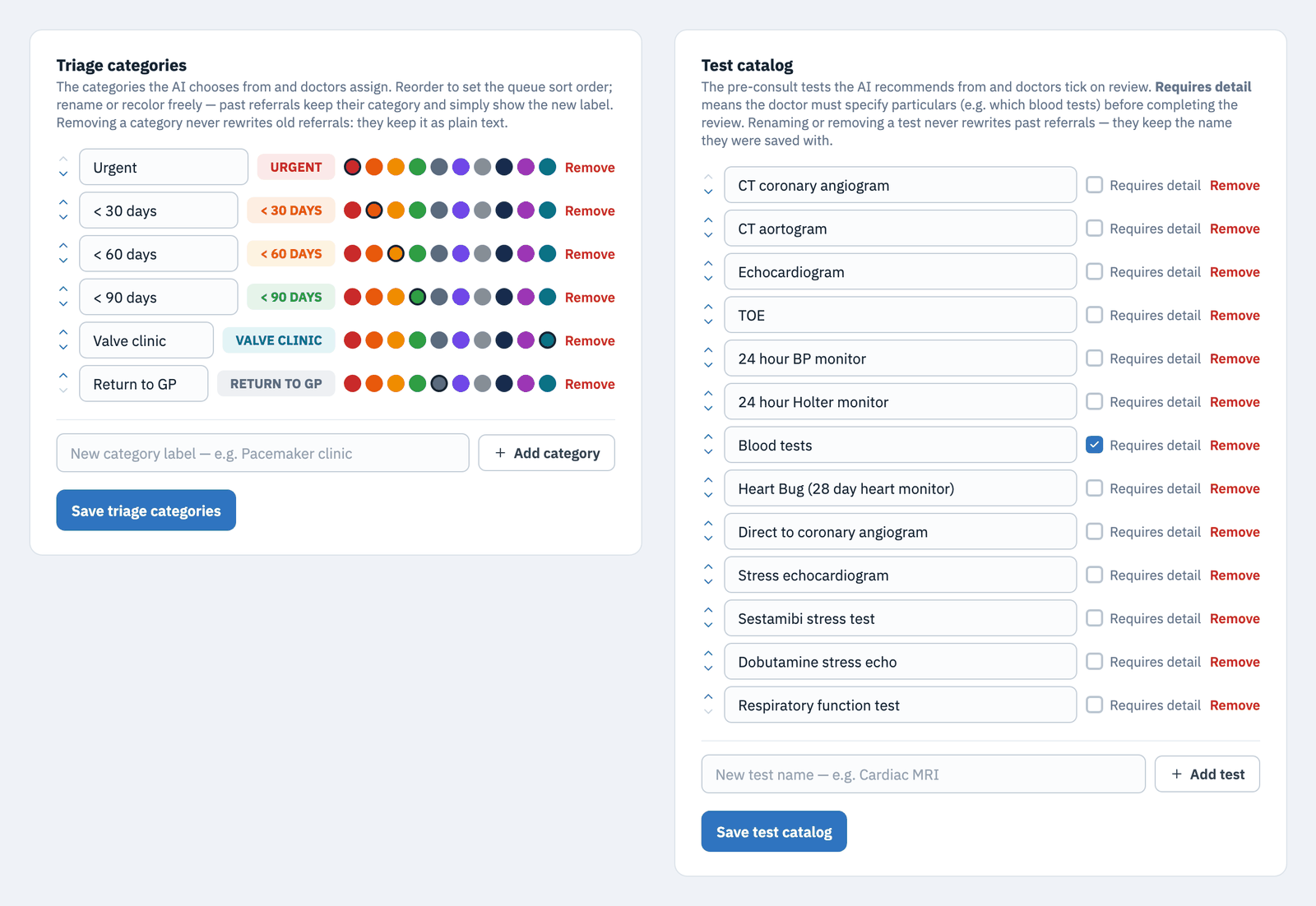
A recommended category — urgent, <30, <60, <90 days out of the box; rename, reorder, or add your own in Settings — plus a written rationale and suggested pre-consult tests drawn from a test catalog you customise.

The doctor decides

The reviewing doctor confirms or overrides the category — including custom categories of your own, like "valve clinic" or "pacemaker clinic" — adjusts the tests, and sends it back to reception to action.

The clinician is always in control. Lumen recommends; it never books, never triages on its own, and never hides the original letter. Every AI suggestion sits beside the source document, marked as extracted by AI — verify against the original.
Built around the real workflow

One system from intake to archive

Lumen is not a triage calculator bolted onto your inbox — it runs the whole referral workflow your practice already has, with reception and doctors each seeing exactly the queue they work from.

Reception intake, without the re-typing

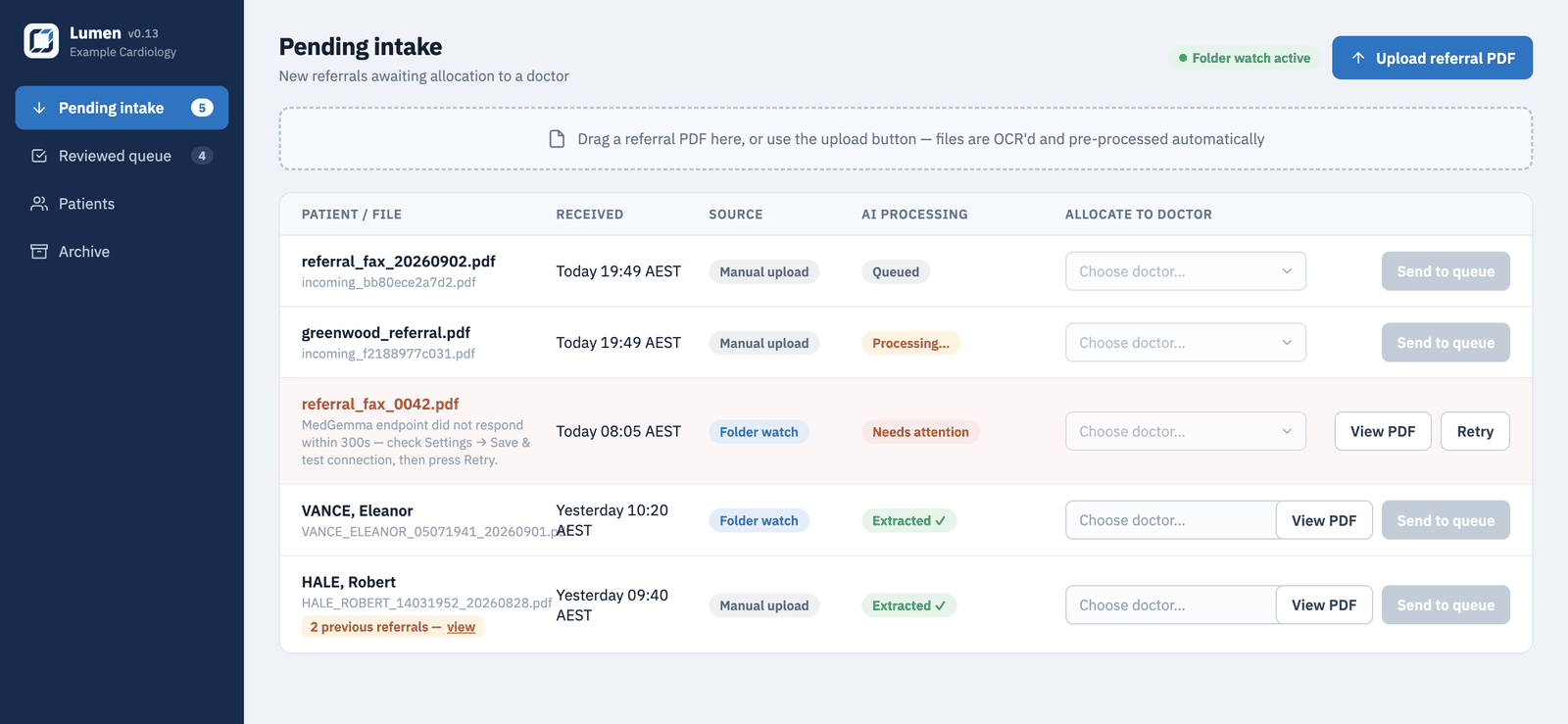
New referrals appear with the patient details already extracted, ready to allocate to a doctor. Anything the AI could not process is flagged for attention with the reason and a one-click retry.

  • Watched-folder ingestion — drop faxes in, they queue themselves
  • Re-referrals are flagged: “2 previous referrals” links straight to the patient's history
  • Files renamed consistently by patient name, DOB, and referral date
Pending intake queue with rows for queued, processing, needs-attention, and extracted referrals, a duplicate-referral flag, and doctor allocation controls

A doctor's queue sorted by urgency, not arrival

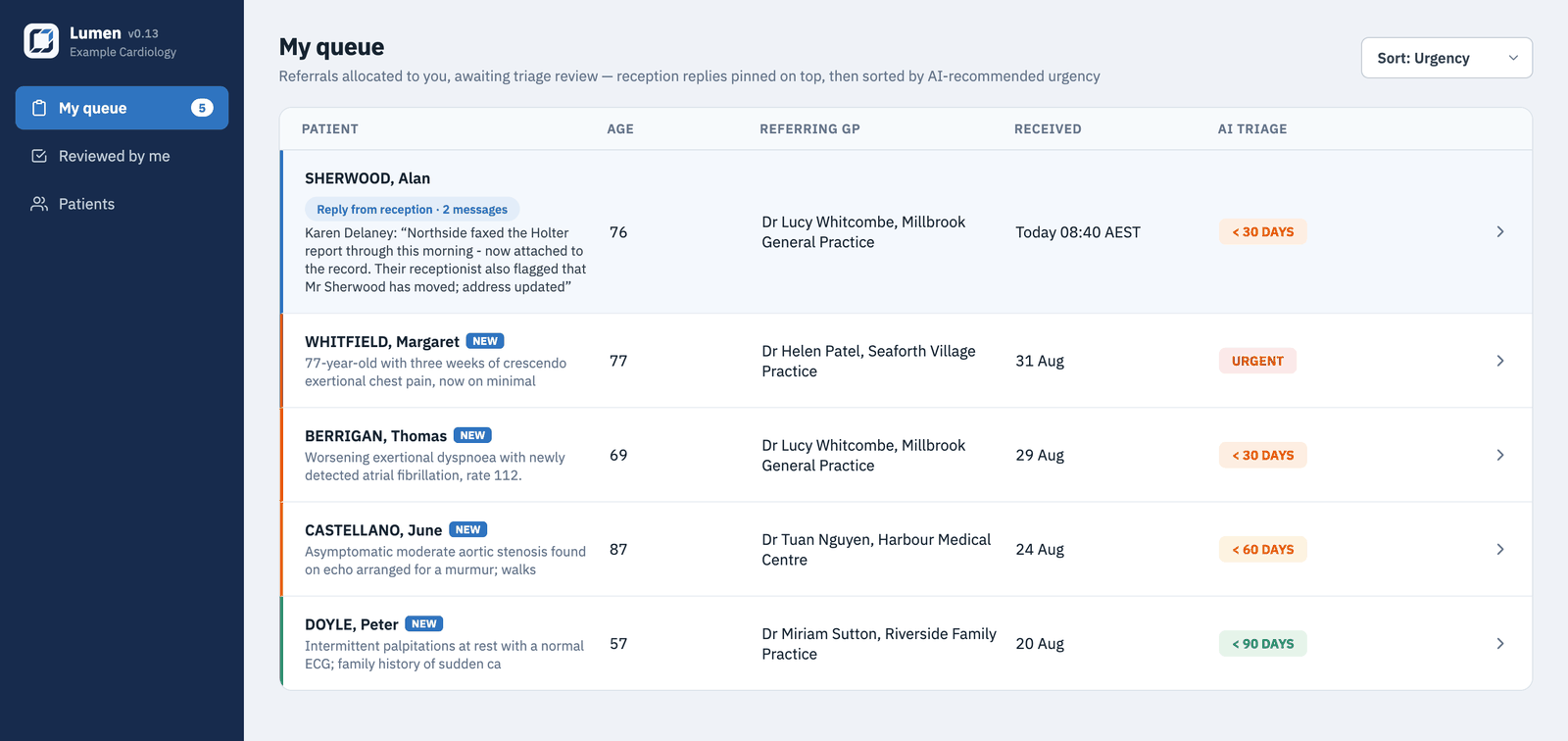
Each doctor sees their own queue, ordered by the recommended triage category, with a one-line summary and the referrer at a glance. When reception answers a doctor's query, the referral is pinned to the top of the queue until the doctor has seen it.

Urgent < 30 days < 60 days < 90 days Return to sender
Triage categories are fully customisable in Settings — rename, reorder, recolor, or add your own.
  • Replies from reception pinned above the queue — never buried
  • Conversations stay attached to the referral, fully audited
  • Redirect to a colleague or return to reception with a typed request
Doctor's My Queue with a pinned reply from reception at the top and referrals sorted by AI triage badges from urgent to 90 days

Tests tracked, consults booked, nothing dropped

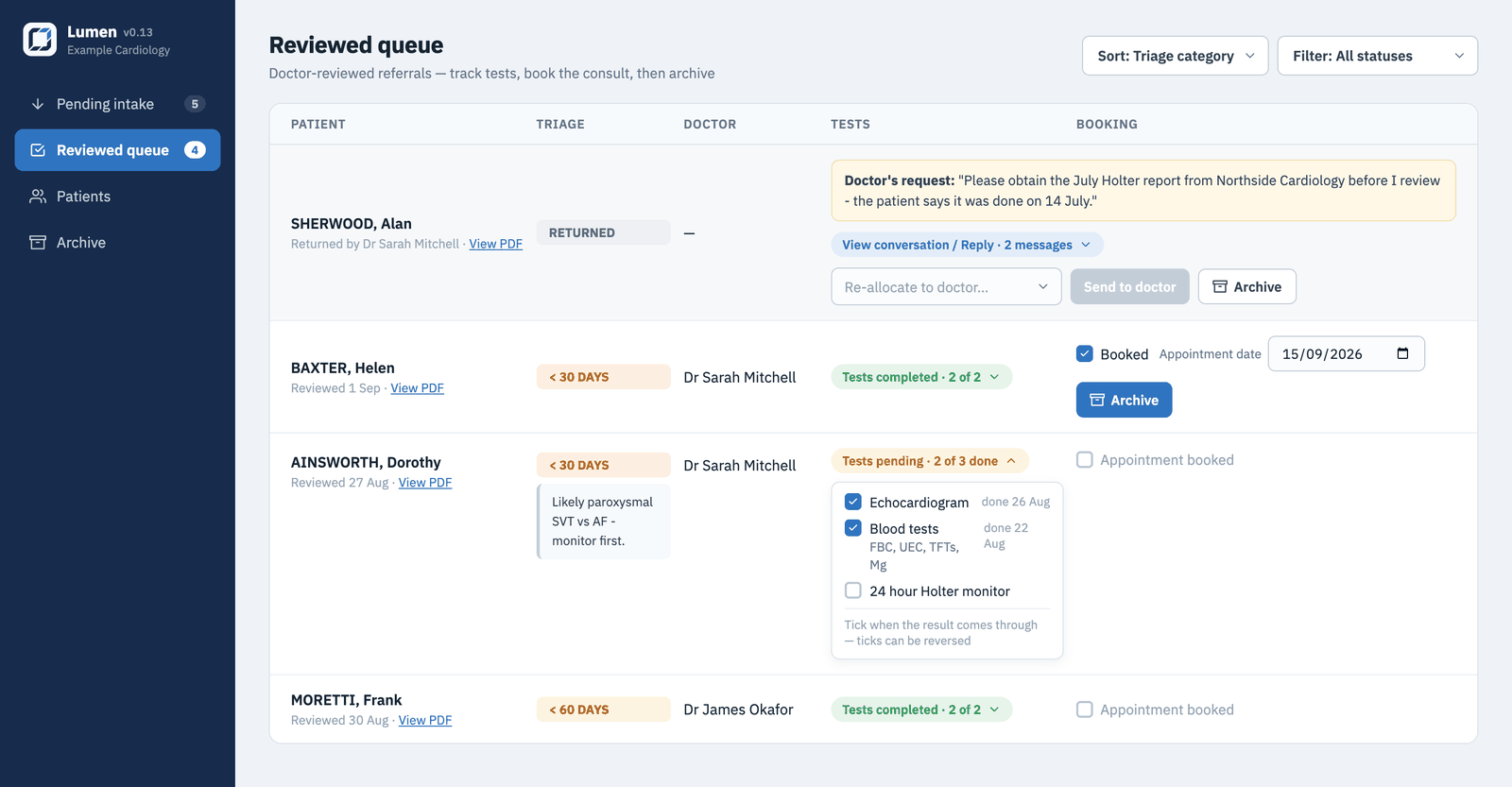
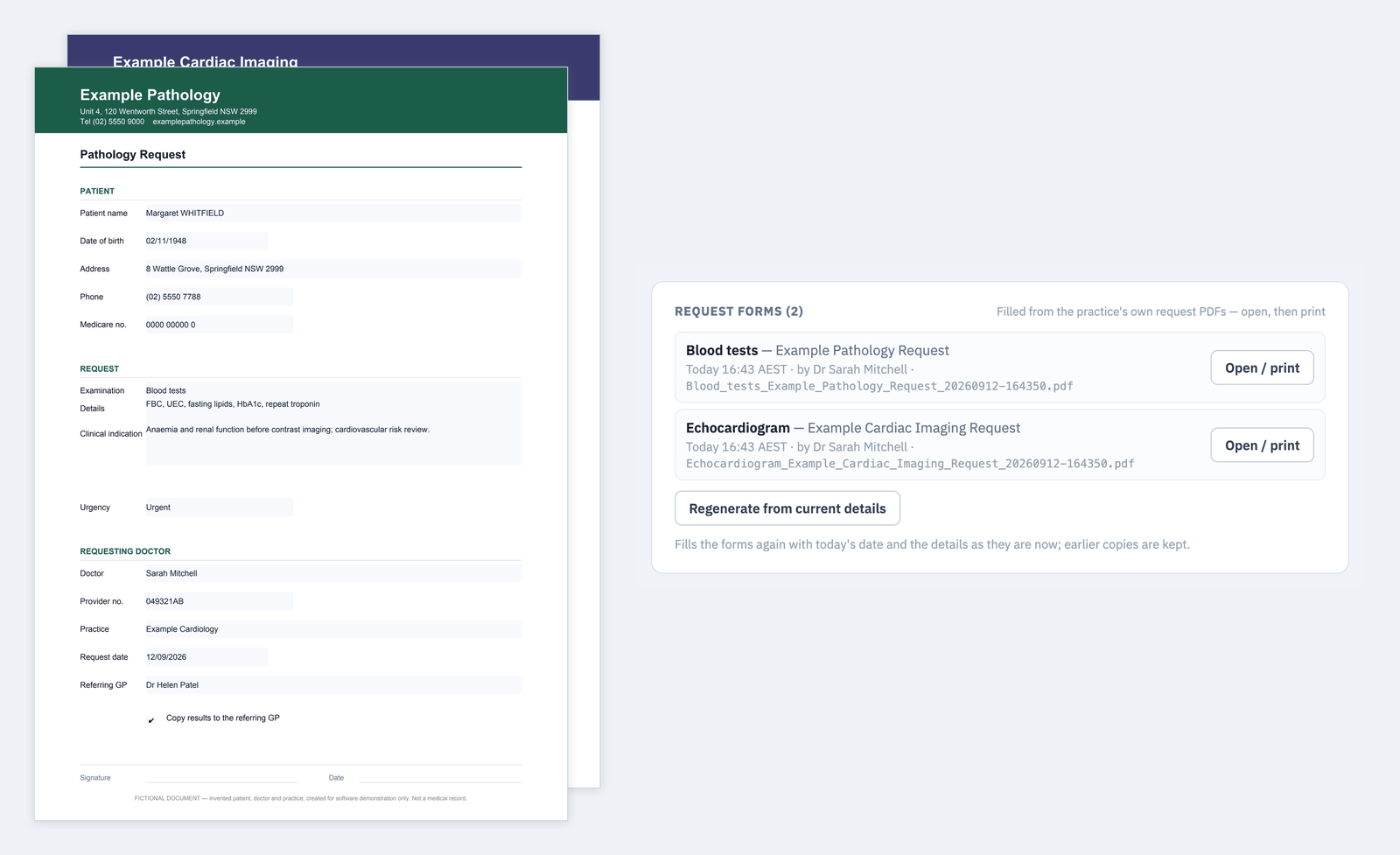
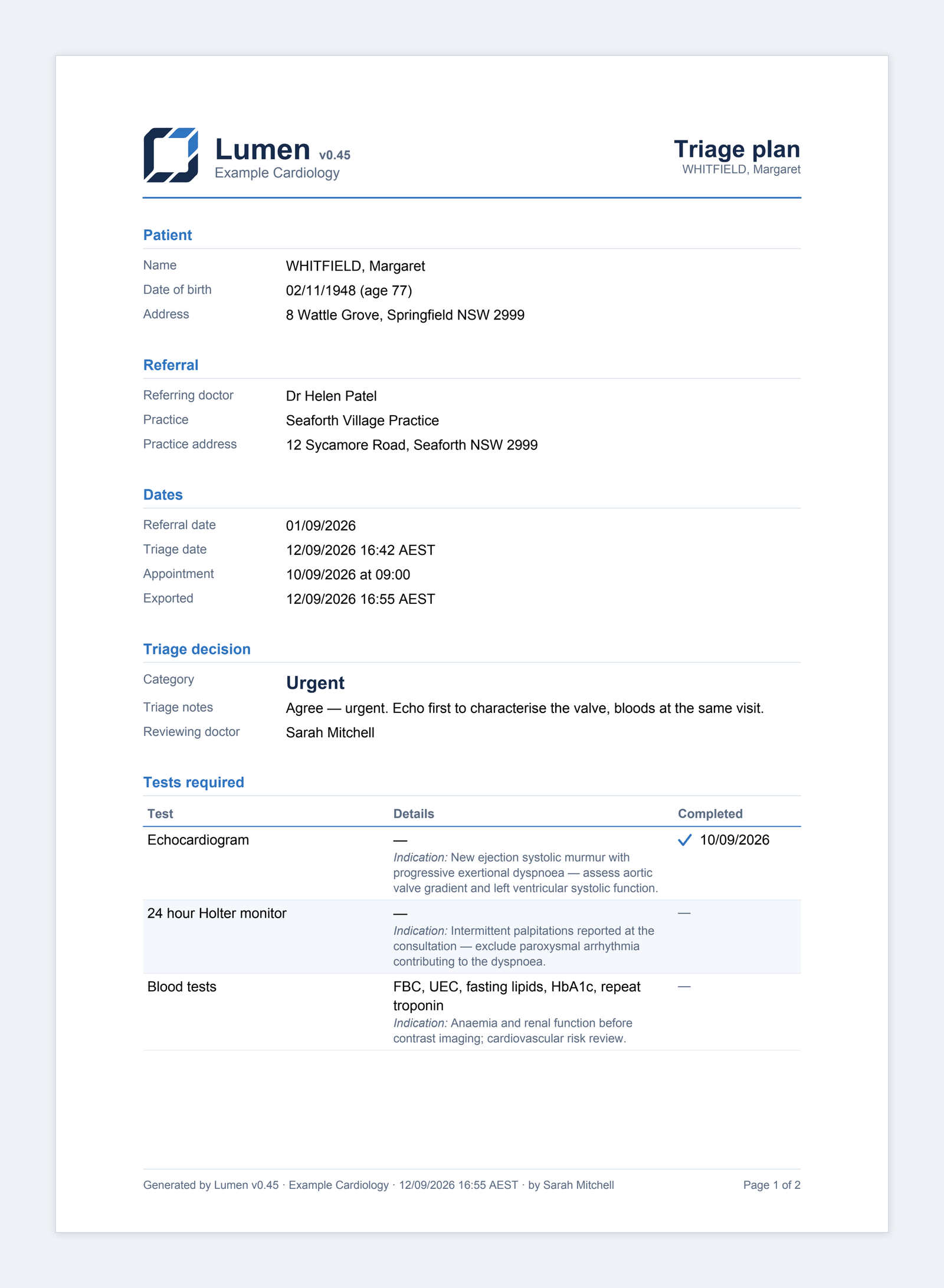
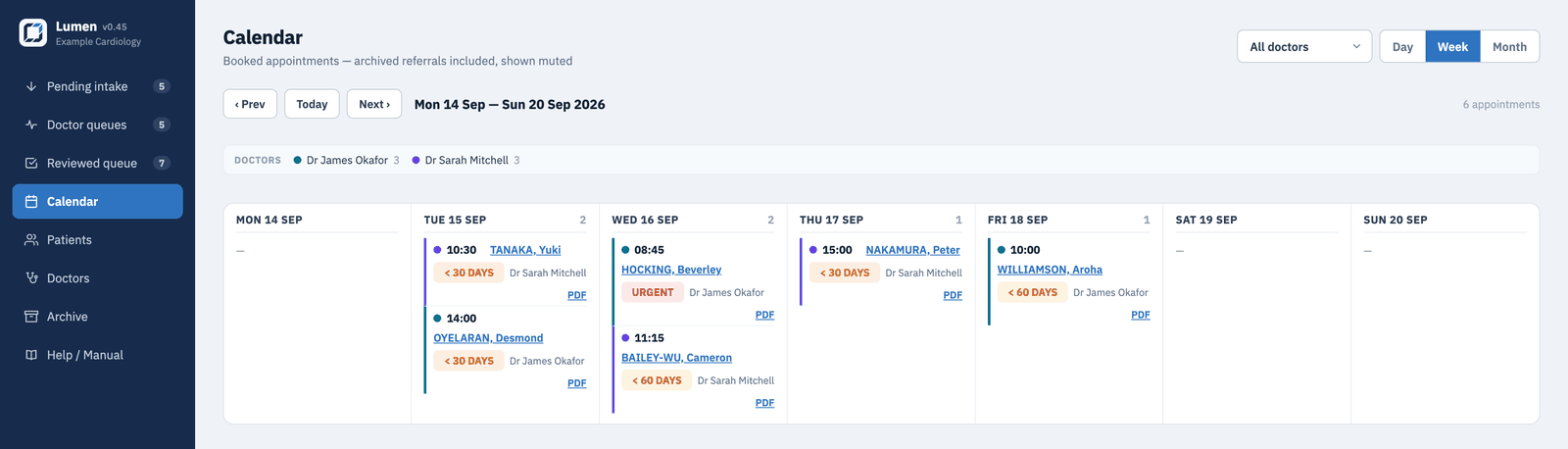
After review, reception works from a single queue: tick off pre-consult tests as results arrive, book the appointment when everything is in, and archive the referral when it's done. Returned referrals carry the doctor's request and the whole conversation with them.

  • Test checklists with per-test detail — mark any test as requiring particulars (e.g. which bloods) before a review can be completed
  • A test catalog customised to your practice — start from our cardiology set or define your own list for any specialty
  • Awaiting-booking and booked states visible at a glance
  • Read-only, searchable archive — deletion is admin-only
Reviewed queue showing a returned referral with the doctor's request, an expanded test checklist with completed ticks, a booked appointment with date, and archive buttons

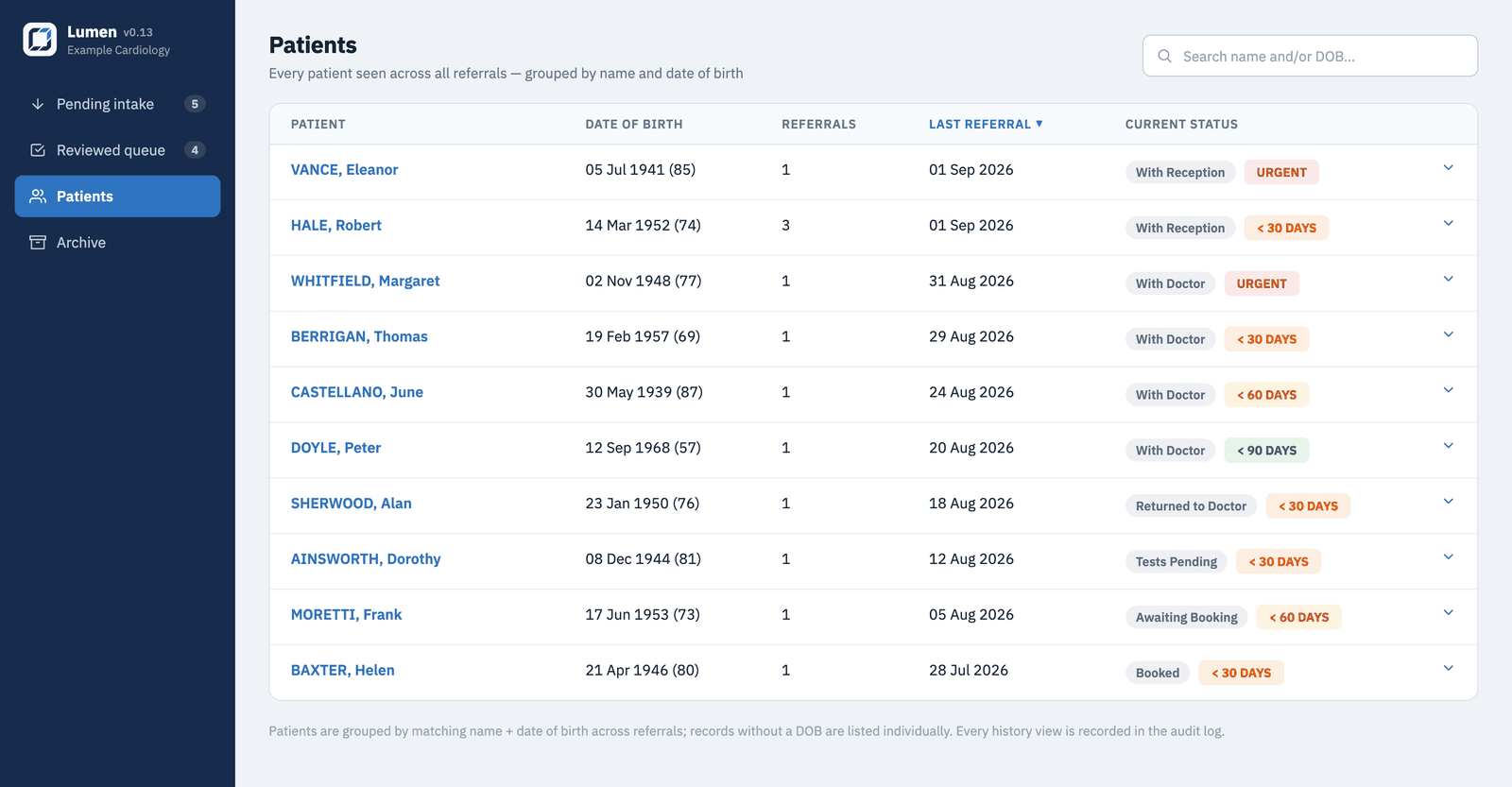
A patients register that builds itself

Every patient seen across all referrals, searchable by name fragment or date of birth, with referral counts, current status in plain language, and the full referral history one click away. New referrals for a known patient are flagged before they're allocated — so duplicates and re-referrals surface at intake, not at the consult.

  • Grouped automatically by name and date of birth — no second database to maintain
  • Plain-language statuses: With Doctor, Tests Pending, Awaiting Booking, Booked…
  • Sortable by patient, referral count, last referral, or status
Patients register listing patients with dates of birth, referral counts, last referral dates, and plain-language workflow statuses with triage badges
Practical ownership

Software you actually own and can actually run

Lumen was built to be run by a practice, not by a DevOps team. One folder is the whole system.

One folder is the whole system

The application, the database, the stored referral PDFs, and the configuration live in a single folder. Backup = copy the folder. Moving to a new machine is copying it there and running the setup script.

Modest hardware

The app itself is light — it runs comfortably on a Mac mini in the back office and installs as a service that starts itself at login and survives reboots. The AI models run wherever you choose to serve them.

Bring your own AI endpoints

Any OpenAI-compatible server works. Enter a base URL and Lumen auto-detects the models it serves; a connection test tells you both endpoints are healthy before a single referral is processed.

Admin settings: AI endpoint base URLs with model auto-detect, request timeout, user accounts with roles, audit log, OCR engine choice, watched folder, and practice name
Admin settings — endpoints, model auto-detect, accounts, audit log.
Settings editors for triage categories and the test catalog: category rows with rename fields, reorder arrows, and a ten-color palette — including an added Valve clinic category — and test rows with per-test Requires detail toggles, with Blood tests toggled on
Triage categories and the test catalog, edited in Settings — rename, reorder, recolor, add your own (like a valve clinic), and mark the tests that need particulars specified. Shown with fictional demo data.

See Lumen on your own referrals

We'll set up a demo instance, walk your practice manager and doctors through the workflow, and answer the hard questions about where the data lives.

Request a demo